This in depth guide explores whether Roblox is truly dangerous for players of all ages offering a comprehensive look at potential risks and effective safety measures for adult gamers balancing work and family We dive into common concerns like online interactions scams data privacy content moderation and in game purchases Learn how to set up robust parental controls optimize privacy settings identify red flags and ensure a positive gaming experience for yourself or your family This resource provides practical tips for balancing gaming with real life commitments ensuring value for money and staying current with platform developments without succumbing to hype Discover how to navigate Roblox safely and confidently addressing key pain points like online safety and responsible engagement for a better gaming lifestyle
1. Is Roblox safe for young kids to play?
2. What are the biggest dangers of playing Roblox?
3. How do I protect my child from scams on Roblox?
4. Can strangers talk to me or my child on Roblox?
5. What kind of inappropriate content is on Roblox?
Who is responsible for safety on Roblox?
Ultimately, both Roblox Corporation and its users share responsibility for safety. Roblox provides tools, moderation, and guidelines, but users—especially adult players and parents—must actively utilize these features, monitor activity, and educate themselves and younger players on safe online practices. It's a collaborative effort to maintain a secure environment.
Why do some people consider Roblox dangerous?
Concerns arise primarily from the platform's user-generated content, open chat features, and the prevalence of scams targeting younger, less experienced users. The sheer volume and diversity of content mean that not everything is perfectly filtered, and social interactions can sometimes lead to cyberbullying or exposure to inappropriate themes, leading some to label "roblox is dangerous."
What are common Roblox scams to watch out for?
Common Roblox scams often involve promises of free Robux, fake game links that phish for account credentials, and 'robux generator' websites. Others might involve social engineering, where users try to trick others into giving away passwords or personal information. Always be skeptical of offers that seem too good to be true, and never share your login details.
How can I enable strict privacy settings on Roblox for my account?
To enable strict privacy settings, log into your Roblox account, go to 'Settings', then 'Privacy'. Here, you can adjust who can chat with you, who can send friend requests, and who can join your private servers. For younger players, setting 'Contact Settings' to 'Friends' or 'No one' is highly recommended to limit interactions.
Are there parental control features built into Roblox itself?
Yes, Roblox offers robust parental control features within account settings. Parents can set account restrictions, which limits a player to only age-appropriate content, and manage spending limits for Robux purchases. An Account PIN can also be set to prevent unauthorized changes to these safety settings, providing peace of mind for parents.
What should I do if my child encounters bullying or harassment on Roblox?
If your child experiences bullying or harassment, immediately use the 'Report Abuse' feature on Roblox to alert moderators. Block the offending user to prevent further contact. Talk to your child about the incident, reassuring them it's not their fault. Document the interaction if possible, and consider taking a break from the platform if necessary.
How does Roblox moderate user-created content and games?
Roblox employs a combination of automated filters, human moderators, and user reporting to moderate content. All user-generated games, avatars, and chat messages are subject to these systems. While robust, the sheer scale of content means some inappropriate material can occasionally slip through, emphasizing the need for parental oversight and active reporting by users.
As adult gamers, we know the struggle: balancing demanding jobs, family responsibilities, and that precious, limited time for relaxation and fun. Gaming isn't just a hobby; it's a way to unwind, connect with friends, and even build skills. But for many, especially those with younger family members, questions arise about popular platforms like Roblox. Is Roblox dangerous? This isn't just a question for concerned parents; it's a critical inquiry for any adult gamer looking to understand the digital landscape, ensure safe experiences for themselves or their dependents, and avoid potential pitfalls like scams or inappropriate content. With 87% of US gamers regularly engaging, often for 10+ hours a week, and mobile platforms dominating play, understanding the safety of widely accessible games like Roblox is more crucial than ever in 2026.
This comprehensive guide dives deep into the realities of Roblox, cutting through the hype to offer practical, problem-solving advice. We'll explore its potential risks—from online interactions and user-generated content to privacy concerns and in-game spending—and equip you with the knowledge to navigate them effectively. Whether you're a seasoned gamer supervising a younger player or simply curious about the platform's safety for your own casual exploration, we're here to help you optimize your experience, ensure value for money, and stay current with best practices without the usual jargon or corporate fluff. Let's make your Roblox experience not just fun, but genuinely safe and secure.
Is Roblox Inherently Dangerous for Gamers and Their Families?
While Roblox offers immense creativity and social interaction for millions globally, it's not inherently dangerous, but it does present common online risks. Like any platform featuring extensive user-generated content and social interaction, vigilance is paramount. The platform's open nature means exposure to diverse content and interactions, which can range from highly creative and educational to potentially problematic or predatory. Understanding the platform’s mechanics, coupled with proactive implementation of available safety features, are crucial steps for safe and positive engagement.
The perception that "roblox is dangerous" often stems from the unsupervised aspects of online interaction and the sheer volume of content uploaded daily. For adult gamers and their families, the primary concern usually revolves around exposure to inappropriate content, cyberbullying, or predatory behavior from unknown users. Roblox invests heavily in content moderation and safety tools, including AI-driven filters and human review teams, but no system is foolproof, especially with millions of active users generating new content every minute. Your active participation in understanding and utilizing these tools, alongside fostering open communication with younger players, forms the strongest defense against potential hazards.
What are the Primary Online Safety Risks on Roblox Adults Should Know?
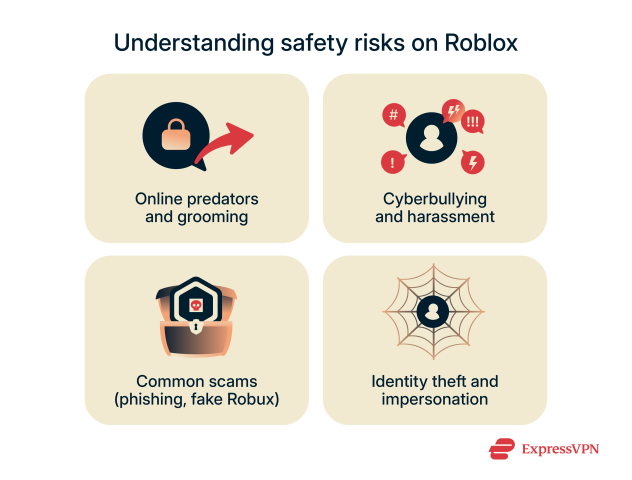
The main online safety risks on Roblox for adult gamers and their supervised children typically revolve around unsolicited communication, exposure to inappropriate user-created games or content, and the pervasive potential for scams and cyberbullying. Users can communicate via in-game chat, direct messages, and group functionalities. While designed to foster social play and community, these features also open avenues for unwanted interactions, including grooming attempts or exposure to mature themes. Certain user-created games might bypass filters or contain themes and language unsuitable for all ages, despite Roblox's content guidelines and age-ratings.
Beyond content and communication, significant risks include sharing personal information, whether intentionally or inadvertently, which can lead to real-world privacy threats. Phishing scams, often disguised as irresistible offers for free Robux (the platform's virtual currency) or enticing links to exclusive game content, are extremely prevalent. Busy adult gamers, seeking a quick win or a shortcut, might click on something seemingly benign, only to compromise their account credentials, personal data, or even financial information. Cyberbullying, griefing, and in-game harassment are also unfortunate realities, impacting the mental well-being of players. Staying informed about these prevalent risks empowers you to make smarter, safer choices while enjoying the platform, turning the question of "roblox is dangerous" into "how can I stay safe on Roblox?"
How Do Robux Scams and 'Free Robux' Hacks Really Work?
Robux scams are a significant concern, often perpetuating the idea that "roblox is dangerous" for those unaware. These schemes primarily exploit players' desire for free virtual currency or rare in-game items. The most common methods include phishing websites, malicious software downloads, and in-game social engineering. Phishing sites typically mimic official Roblox login pages, promising free Robux or exclusive content. Once you enter your credentials, your account is compromised. These sites often appear through misleading ads, suspicious links in chat, or spam messages.
Malicious software, sometimes disguised as 'Robux generators' or 'hack tools,' are downloaded from unofficial sources. Instead of generating Robux, these programs often install malware, spyware, or keyloggers onto your device, stealing your personal information, including bank details or other account passwords. In-game social engineering involves users manipulating others through deceptive promises or threats, pressuring them to reveal passwords or transfer Robux. Always remember: there is no legitimate way to get free Robux outside of official Roblox promotions or gift cards purchased from trusted retailers. Any offer that seems too good to be true almost certainly is a scam designed to exploit your account or device. Education is your best defense against these deceptive practices, ensuring you don't fall victim to tactics that can make you believe "roblox is dangerous."
What Role Do Content Moderation and User-Created Content Play on Roblox?
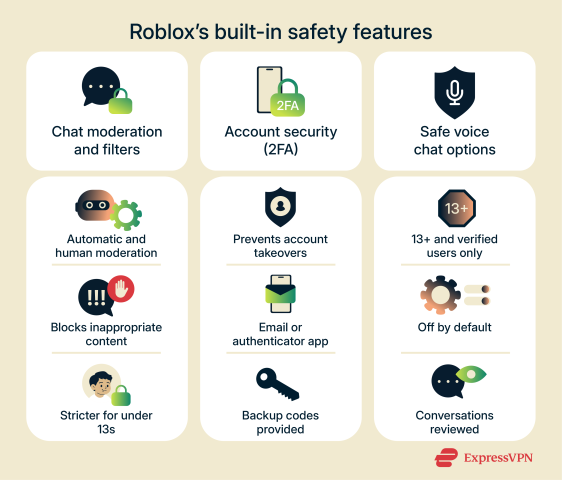
Content moderation on Roblox is a complex, multi-layered system critical to mitigating the perception that "roblox is dangerous." It relies on a combination of advanced AI-driven filters, a large global team of human moderators, and active user reporting. All user-generated content, from games, avatar items, and audio files to chat messages, is subject to these moderation systems. The AI filters automatically detect and remove inappropriate language, images, and other content, while human moderators review flagged items and user reports, ensuring compliance with Roblox's Community Standards.
However, the sheer scale of user-created content (UGC) is immense. Millions of experiences are created by developers of all ages, offering unparalleled creativity but also posing challenges. While Roblox is constantly improving its moderation, some inappropriate material or themes can occasionally slip through the cracks or be subtly embedded, making it appear that "roblox is dangerous." This necessitates ongoing vigilance from adult gamers and parents. Understanding the limitations and strengths of moderation helps users take personal responsibility. Utilizing age-based account restrictions and actively reporting any violations strengthens the safety net for the entire community, contributing to a safer environment where creativity can flourish responsibly, alleviating concerns about whether "roblox is dangerous."
How Can I Set Up Effective Parental Controls on Roblox for My Family?
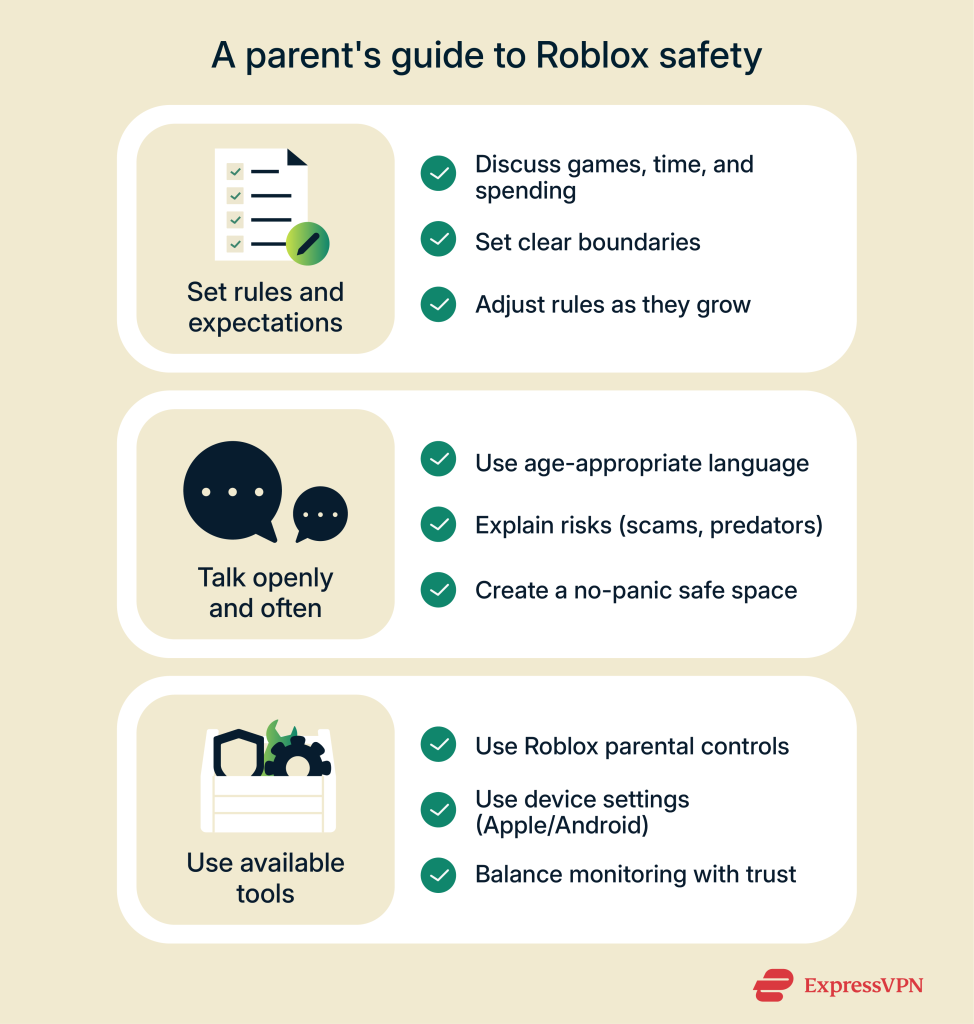
Setting up effective parental controls is paramount for adult gamers managing younger players and alleviating concerns like "roblox is dangerous." Roblox offers robust built-in features to help. First, log into the account you wish to manage and navigate to 'Settings'. Under the 'Privacy' tab, you'll find 'Account Restrictions'. Enabling this limits the account to only playing games from a pre-approved list that are deemed appropriate for all ages by Roblox, effectively reducing exposure to potentially problematic content.
Next, set an 'Account PIN'. This four-digit code prevents unauthorized changes to privacy and spending settings, ensuring your chosen restrictions remain in place. For communication, adjust 'Who can chat with me in app?' and 'Who can message me?' to 'Friends' or 'No one' for younger users. You can also control who can send friend requests and join private servers. Finally, monitor 'Monthly Spend' limits under the 'Billing' section to prevent accidental or excessive in-app purchases. Regularly review these settings, have open conversations with your children about online safety, and emphasize never sharing personal information. These steps transform Roblox from a potential source of worry into a managed, safe entertainment option, directly addressing the "roblox is dangerous" concern with practical solutions.
What Are the Essential Privacy Settings All Roblox Users Should Know About?
Understanding and configuring essential privacy settings is crucial for any Roblox user, especially given the ongoing discussions around "roblox is dangerous." These settings empower you to control who can interact with you and what information is shared. Begin by logging into your account and heading to 'Settings' (the gear icon), then select 'Privacy'. Here, you'll find several key options.
- Contact Settings: This section allows you to control who can chat with you in games, who can send you direct messages, and who can send friend requests. For maximum privacy, especially for younger players, setting these to 'Friends' or even 'No one' is highly recommended to limit unsolicited interactions.
- Filter Chat: Roblox automatically filters chat for profanity and inappropriate content. Ensure this is always active. For users under 13, chat is even more strictly filtered.
- Other Settings: Review options like 'Who can join me in experiences?' and 'Who can see my inventory?' Limiting these can enhance privacy, preventing unknown users from joining your games or viewing your purchased items.
- Two-Step Verification (2SV): While not strictly a privacy setting, enabling 2SV under 'Security' is vital for account protection. It adds an extra layer of security, requiring a code from your email to log in, significantly protecting against unauthorized access and safeguarding your personal information.
Regularly reviewing and adjusting these settings ensures that your Roblox experience remains as private and secure as you desire, effectively countering the "roblox is dangerous" narrative with proactive user control. These practical steps align with best practices for online digital citizenship in 2026, especially important for gamers juggling life and digital entertainment.
How Do In-Game Purchases and Spending Risks Factor Into Roblox Safety?
In-game purchases and potential overspending are significant concerns for many adult gamers and parents, often contributing to the sentiment that "roblox is dangerous." Robux, Roblox's virtual currency, is used to buy avatar items, game passes, and access to premium experiences. The ease of purchase, often with just a few clicks, can lead to unintended or excessive spending, especially if payment methods are linked directly to the account without proper oversight.
The risk lies in the impulsive nature of younger players and the persuasive tactics within some games encouraging purchases. Children might not fully grasp the real-world value of Robux, leading to hundreds of dollars spent on digital items. For busy adults, managing a budget while ensuring their children's enjoyment can be a delicate balance. To mitigate this: use Roblox's parental control features to set monthly spending limits for Robux. Link payment methods to adult accounts only and require password authentication for every purchase. Utilize gift cards for Robux to control the exact amount spent. Have open conversations about the value of money and in-game purchases. By taking these proactive steps, you can prevent financial surprises and ensure that Roblox remains an enjoyable, budget-friendly activity, rather than a financial drain that reinforces the "roblox is dangerous" concern.
What Are the Signs of Inappropriate Interactions or Content on Roblox?
Identifying signs of inappropriate interactions or content on Roblox is crucial for adult gamers to ensure a safe environment for themselves and their families, directly addressing the "roblox is dangerous" concern. Vigilance can prevent many issues. Key signs to watch for include:
- Secretive Behavior: A child suddenly becoming secretive about their Roblox activities, hiding their screen, or deleting chat logs can be a major red flag.
- Inappropriate Language or Themes: While Roblox has filters, some users try to bypass them. Look for suggestive language, profanity, or discussions of mature topics in chat. Games with overly violent, sexual, or discriminatory content, even if subtly presented, are also concerning.
- Requests for Personal Information: Any user asking for real names, addresses, phone numbers, school details, or social media handles outside of Roblox should immediately trigger a warning. Roblox prohibits sharing personally identifiable information.
- Offers of 'Free Robux' or 'Hacks': These are almost always scams. If another user promises free Robux in exchange for login details or by visiting an external site, it's a trap.
- Urgent or Pressure-Filled Communication: If someone is pressuring a player to do something quickly, meet offline, or keep secrets, it's a sign of potential grooming or malicious intent.
- Unusual Game Links: Be wary of links shared in chat that promise exclusive content or rewards but lead outside the Roblox platform; these are often phishing attempts.
Educate yourself and your family about these warning signs. Encourage open communication, so any concerning encounters can be discussed immediately. Early detection and reporting are your most powerful tools in navigating the platform safely and effectively.
How Can Adult Gamers Teach Younger Players Safe Online Behavior on Roblox?
Teaching younger players safe online behavior on Roblox is arguably the most effective strategy against the "roblox is dangerous" perception. As adult gamers, we're uniquely positioned to impart practical wisdom. Start with open, non-judgmental conversations about what they do and see on Roblox. Make it a continuous dialogue, not a one-time lecture.
- The "Think Before You Click/Share" Rule: Teach them that anything shared online is permanent. Emphasize never giving out personal information (real name, age, address, school, phone number, photos) to strangers.
- Recognize Scams: Explain that offers for 'free Robux' or 'game hacks' are tricks to steal their account. Show them how to identify official Roblox sites and explain why they should only purchase Robux from official sources.
- Understand Privacy Settings: Walk them through their privacy settings and explain why it's important to limit who can chat with them or send friend requests. Empower them to make safe choices in their settings.
- The "Tell a Trusted Adult" Rule: Instill confidence that they can always come to you (or another trusted adult) if something makes them uncomfortable, scared, or confused. Reassure them they won't be in trouble.
- Reporting Tools: Teach them how and when to use Roblox's 'Report Abuse' feature. Explain that reporting helps keep the community safe for everyone.
- Positive Digital Footprint: Encourage them to be kind and respectful online, just as they would be in real life. Discuss the impact of their words and actions on others.
Leading by example and regularly engaging with their Roblox experience can turn potential dangers into valuable learning opportunities, fostering responsible digital citizenship for a lifetime.
What Steps Should I Take If an Issue Arises on Roblox?
If you or a family member encounter an issue on Roblox, acting swiftly and systematically is key to mitigating harm and ensuring safety, especially when concerns about "roblox is dangerous" arise. Here's a practical guide for adult gamers:
- Document the Incident: If possible and safe to do so, take screenshots or record video of the inappropriate interaction, content, or scam attempt. This provides crucial evidence for reporting.
- Report Abuse In-Platform: Utilize Roblox's built-in 'Report Abuse' feature immediately. This is the most direct way to alert Roblox moderators. Provide as much detail as possible, including usernames, game names, and a description of the issue.
- Block the Offender: If the issue involves another user, block them. This prevents them from communicating with you or your child in the future. You can do this from their profile or the in-game leaderboard.
- Adjust Privacy Settings: Reinforce or adjust privacy settings to restrict communication and interaction further, preventing similar incidents from recurring.
- Inform a Trusted Adult (if a child is involved): If you are supervising a child, ensure they understand they should immediately come to you if they experience anything uncomfortable or concerning. Reassure them they won't be punished.
- Contact Roblox Support: For more serious issues, or if you feel the in-platform report isn't sufficient, contact Roblox Customer Support directly through their website. Provide all documented evidence.
- Consider a Break: If the incident is particularly distressing, taking a temporary break from the platform can be beneficial for emotional well-being.
Remember, your proactive response helps Roblox maintain a safer community for everyone. Don't hesitate to use the available tools and seek support when needed.
FAQ
How can I report inappropriate content or behavior on Roblox?
Roblox provides a clear 'Report Abuse' button within games and on user profiles. Utilize this feature immediately when encountering anything inappropriate, providing as much detail as possible to help moderators. This is your direct line to platform safety teams, crucial for addressing any instance that makes you feel "roblox is dangerous."
Can I restrict who my child can chat with on Roblox?
Yes, through Parental Controls in account settings. You can limit chat to 'Friends' or 'No one', and adjust privacy settings to prevent direct messages or friend requests from unknown users. This helps manage social exposure effectively, a key step in ensuring Roblox is safe rather than dangerous.
What is Robux and how can I buy it safely?
Robux is Roblox's virtual currency, used for in-game items and experiences. Purchase Robux only through the official Roblox website or app. Avoid third-party sellers promising discounted Robux, as these are almost always scams designed to steal account information or money, validating concerns that "roblox is dangerous" if users aren't careful.
How do I know if a game on Roblox is safe for my child?
Check the game's description, read reviews from other players, and play it yourself if possible. Look for games with positive ratings, clear content, and active moderation. Roblox also has age recommendations, but direct supervision is always the best approach to ensure a game is safe and not contributing to the idea that "roblox is dangerous."
Is Two-Step Verification available on Roblox and should I use it?
Yes, Two-Step Verification (2SV) is available and highly recommended. Enable it in your account settings using an email address. This adds an extra layer of security, requiring a code from your email to log in, significantly protecting your account from unauthorized access and making your Roblox experience far less dangerous.
What should I do if my child shares personal information on Roblox?
If your child shares personal information, immediately instruct them to stop and delete any messages. Adjust their privacy settings to 'No one' for communication. Block the recipient if they are a stranger. Report the interaction to Roblox support and have a serious conversation with your child about the dangers of sharing personal data online.
Can Roblox games contain viruses or malware?
While Roblox itself is generally secure, user-created content can sometimes contain malicious scripts or lead to external sites designed to download malware. Always stick to official Roblox games and avoid downloading any 'helper' programs. Keep your operating system and antivirus software up to date to minimize risks, reinforcing that "roblox is dangerous" if external tools are used.
Conclusion
Navigating the vast world of Roblox doesn't have to be a minefield of worries, even with the discussions around "roblox is dangerous." For adult gamers balancing work, family, and precious downtime, understanding and leveraging the right tools transforms potential risks into manageable experiences. By actively engaging with privacy settings, recognizing common scams, teaching digital citizenship, and utilizing reporting mechanisms, you can ensure Roblox remains a platform for creativity, social connection, and fun. Gaming should be a source of relaxation and skill-building, not stress. Stay informed, stay vigilant, and enjoy the digital landscape confidently, ensuring value for your time and money. What's your biggest Roblox safety challenge? Comment below and let's tackle it together!
Roblox dangers online safety parental controls scam awareness data privacy secure gaming practices content moderation in app purchases community guidelines digital citizenship reporting tools safe social interactions user generated content risks
35


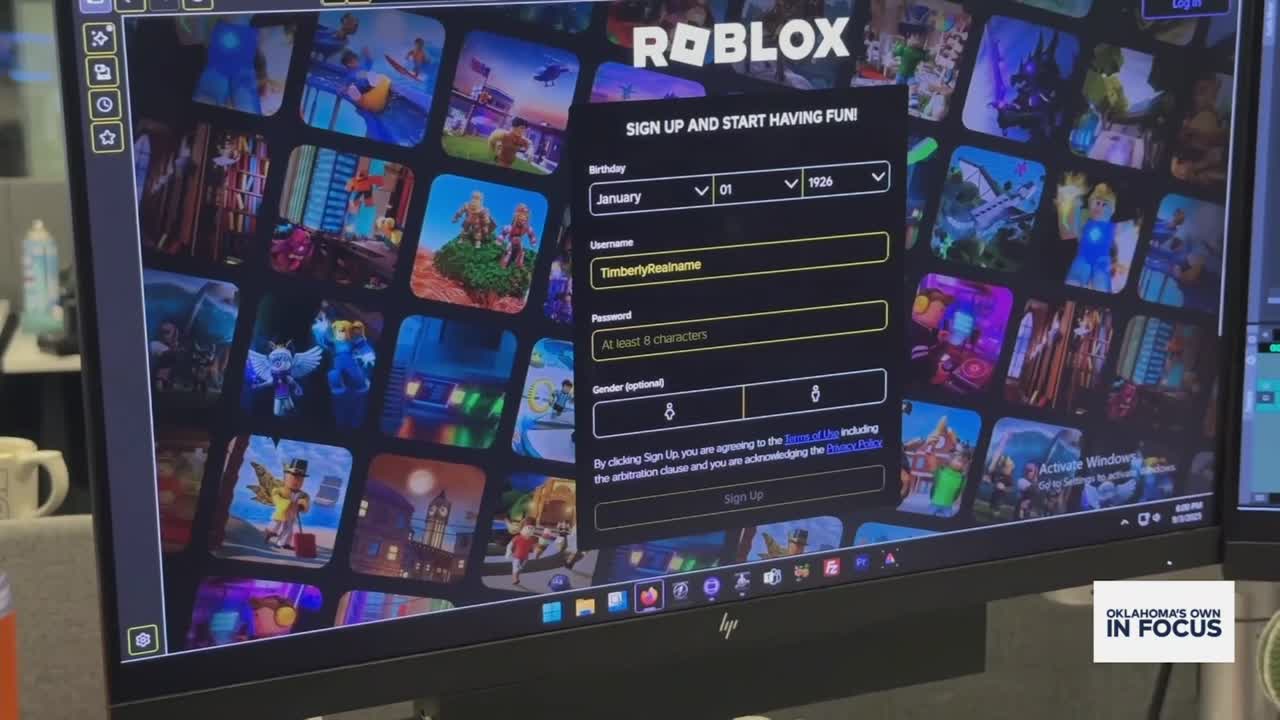
Is Roblox The Most Dangerous Platform For Children. Dutch Regulator To Probe Roblox Over Risks To Minors Reuters . Is Roblox Dangerous For Children Louisiana AG Sues Site Over Lack Of. Is Roblox Dangerous To Children Roblox Danger Inc 1167248992 . Oklahoma Child Internet Safety Expert Speaks To Dangers Of Roblox Thumbnail



Louisiana Sues Roblox Accusing The Site Of Allowing Sexual Predators 17577124 81825 Adobe Stock Roblox Img . Parents Find Dangerous Loopholes As Roblox Changes Chat Policies JA Roblox Warning COMP 34c510 . 5 Hidden Dangers Of Roblox All Parents Need To Know 434bea0d D095 4aa9 A784 Large16x9 . Is Roblox Getting Shut Down In 2026 The Real Truth Behind All Those Is Roblox Getting Shut Down In 2026 1024x683 . Are Dangerous Roblox Games A Real Threat To Kids 2026


Roblox The Ultimate World Gamezawy Is Roblox Dangers Medium . Dangerous Games Roblox And The Metaverse Exposed Streaming Dangerous Games Roblox And The Metaverse Exposed. 15 Game Roblox Horror Terbaik 2026 15 Game Roblox Horror Terbaik 2026 Paling Seram And Bikin Deg Degan 7f944699ce . Is Roblox Safe For Kids What Parents Must Know 2026 Update YouTube . This Roblox Game Is Potentially Dangerous YouTube



Why Roblox Is SUPER DANGEROUS For Kids EMOTIONAL YouTube . Are Dangerous Roblox Games A Real Threat To Kids 2026 Dangerous Night . Prepare For 2026 With Roblox Trends TikTok Img. Roblox Safety Concerns Prompt Complaints Lawsuits . What Exactly Is A Roblox Noob Anyway 2026 Parental Guide For Roblox Usage UnicMinds




Roblox Has A New Safety Feature Amid Controversy I Saw It Up Close 87817516007 Screenshot 20251217 At 51218 Pm . Is Roblox Safe Understand The Risks And Protections A Parents Guide To Online Safety 974x1024 . Roblox En 2026 Juega En Roblox NoFilter. Definitive Guide To Roblox 2026 TM 07169 AU 19 60 Football Heaven TM 07169 Definitive Guide To Roblox 2026 . 100 Unofficial Roblox Annual 2026 Brand New For 2025 The Iconic SL1500


The Top 5 Hidden Dangers Of Roblox Bark The Dangers Of Roblox Blog Post 1536x804 . How To Publish A Game On Roblox In 2026 Roblox YouTube . Roblox Introduces New Protections For Kids As Safety Worries Linger 260117 Roblox Safety Issues Digvid Thumb 2 . Roblox New Story Games 2026 Crawler. Roblox Dangerous Games For Kids Crawler
Is Roblox Safe Understand The Risks And Protections Is Roblox Safe Scaled . The Dangers Of Roblox What Parents Should Know Blog@2x 3 1024x429 . Are Dangerous Roblox Games A Real Threat To Kids 2026 . Is Roblox Safe Understand The Risks And Protections Safety Risks On Roblox 632x480 . Is Roblox Safe Understand The Risks And Protections Robloxs Built In Safety Features 562x480