Ever found yourself staring at a frozen screen, wondering "why won't my Roblox work" when all you want to do is jump into your favorite game? You're not alone. This comprehensive guide is designed for the busy gamer balancing life and leisure, providing clear, actionable steps to troubleshoot common Roblox issues. From internet woes to outdated software, we cover every angle, helping you get back to building, playing, and socializing in the vast Roblox metaverse. Understanding these fixes can save you precious gaming time and frustration, ensuring your digital escape is always within reach. We'll delve into quick checks, deeper dives into system settings, and essential maintenance tips to keep your Roblox experience smooth and uninterrupted, catering to both PC and mobile players who value reliable performance and seamless social interaction.
Related gamesQ: Why won't my Roblox work at all, it just won't launch?
A: If Roblox isn't launching, first check your internet connection for stability and restart your device. Verify Roblox servers aren't down, and temporarily disable your firewall/antivirus to see if it's blocking the application. Often, clearing the Roblox cache or a clean reinstall can resolve stubborn launch issues.
Q: What should I do if Roblox keeps crashing mid-game?
A: Constant crashes typically point to outdated graphics drivers, insufficient system resources, or corrupted game files. Update your GPU drivers, close background applications to free up RAM, and consider a fresh reinstall of Roblox to ensure all files are intact. Adjusting in-game graphics settings to lower values can also help.
Q: How do I check if Roblox servers are actually down?
A: To check Roblox server status, visit the official Roblox Status page or use third-party services like DownDetector. These sites provide real-time updates on any widespread outages or maintenance, letting you know if the issue is global rather than local to your device.
Q: My Roblox is super laggy, what's causing it?
A: Lag in Roblox is usually due to a slow internet connection, high ping, or your device struggling to keep up. Ensure your Wi-Fi is strong or use an Ethernet cable, close other bandwidth-intensive applications, and lower Roblox's in-game graphics settings. Outdated drivers can also contribute to performance bottlenecks.
Q: Why can't I join any games on Roblox?
A: If you can't join games, it could be a network issue, an outdated client, or a firewall block. Check your internet connection, update Roblox to the latest version, and make sure your firewall or antivirus isn't preventing Roblox from connecting to game servers. Restarting your router might also help establish a fresh connection.
Q: How do I fix Roblox not installing on my computer?
A: Installation failures often stem from insufficient disk space, conflicting software, or corrupted installer files. Ensure you have ample storage, temporarily disable antivirus during installation, and download the installer again from the official Roblox website to ensure it's not corrupted. Running the installer as an administrator can also resolve permission issues.
Q: Can a VPN or specific network settings impact Roblox?
A: Yes, VPNs can sometimes cause connectivity issues or increased latency with Roblox, so try disabling it. Specific network settings, like an unusual DNS server or strict router configurations, can also interfere. Flushing your DNS cache or switching to public DNS servers like Google DNS might improve connectivity.
We've all been there. You've finally carved out some precious time after a long day of work and family commitments, ready to unwind in your favorite Roblox experience, only to be met with a frustrating error message or a blank screen. The thought, "why won't my Roblox work?" echoes in your mind, turning relaxation into a tech headache. For the average US gamer, around 36 years old and often balancing multiple responsibilities, every gaming moment counts. We value quick fixes that get us back to the fun, the social connections, and the skill-building that games like Roblox offer.
Roblox, with its vast universe of user-generated content and thriving social ecosystem, has become a cornerstone of online gaming, especially for those looking to connect with friends or simply enjoy a creative escape. In fact, mobile gaming dominates for many, allowing flexible play, and social interaction within games is a top priority. When Roblox falters, it disrupts not just a game, but a social hub and a creative outlet. This guide is built specifically for you, the busy gamer who needs straightforward, effective solutions to common Roblox problems without the jargon or the hype. Let's get your Roblox working again so you can get back to what matters: having fun!
Why Won't My Roblox Work? Start with the Basics!
Many Roblox issues, especially those preventing the game from launching or connecting, can be resolved by checking the most fundamental elements. Before diving into complex solutions, it's wise to ensure your basic setup is sound.
Check Your Internet Connection: Is your Wi-Fi stable? Try loading a few websites or running a speed test. A patchy connection is a common culprit for any online game failing to launch or experiencing heavy lag. For many US gamers who play an average of 10+ hours a week, a reliable internet connection is non-negotiable.
Restart Roblox: It sounds simple, but fully closing the Roblox client and relaunching it can clear temporary glitches.
Reboot Your Device: A full system restart (PC, Mac, or mobile device) often resolves underlying software conflicts or memory issues that might be preventing Roblox from functioning correctly. This is a go-to for many busy gamers who just need a quick reset to get back in action.
Verify Roblox Player is Running: Check your Task Manager (Windows) or Activity Monitor (macOS) to ensure no rogue Roblox processes are still running in the background, which can prevent a new instance from starting.
Are Roblox Servers Down or Experiencing Issues?
Sometimes, the problem isn't on your end at all. Roblox's massive infrastructure occasionally experiences outages or maintenance periods. When 87% of US gamers play regularly, any server issue can impact millions.
You can quickly check the official Roblox status page or popular third-party sites like DownDetector. These resources provide real-time information on server health and reported issues. If servers are down, unfortunately, the only fix is patience. Use this time to catch up on other tasks or enjoy a different activity until Roblox is back online.
Is Your Device or App Outdated for Roblox?
Keeping your operating system and the Roblox application itself updated is crucial for performance and compatibility. Old versions can lead to unexpected crashes or inability to launch.
Update Your Operating System: Ensure your Windows, macOS, Android, or iOS is running the latest stable version. OS updates often include critical security patches and performance improvements that Roblox relies on.
Update Graphics Drivers: Outdated graphics drivers are a frequent cause of performance issues and crashes in games. Visit your graphics card manufacturer's website (NVIDIA, AMD, Intel) to download and install the latest drivers. This can make a huge difference, especially for gamers trying to squeeze the most out of their existing hardware on a budget.
Update Roblox: On PC, Roblox typically updates automatically. However, on mobile, you might need to manually check for updates in the App Store (iOS) or Google Play Store (Android).
Corrupted Game Files: How to Repair or Reinstall Roblox?
Over time, game files can become corrupted due to various reasons, leading to Roblox not working as expected. This is a common pain point for any dedicated gamer.
Clear Roblox Cache: Go to the Roblox folder (usually C:Users[YourUsername]AppDataLocalRoblox) and delete the 'Temp' folder. Clearing the cache can resolve issues caused by corrupted temporary files.
Reinstall Roblox: A clean reinstall often fixes deeply rooted issues. First, uninstall Roblox from your system (via 'Add or Remove Programs' on Windows or by dragging to Trash on macOS). Then, download the latest installer from the official Roblox website and perform a fresh installation.
Could Your Firewall or Antivirus Be Blocking Roblox?
Your computer's security software is designed to protect you, but sometimes it can be a bit overzealous and mistake legitimate programs like Roblox for threats.
Check Firewall Settings: Ensure that Roblox is allowed through your Windows Firewall or any third-party firewall you might be using. You might need to add an exception for 'RobloxPlayerBeta.exe'.
Temporarily Disable Antivirus: As a troubleshooting step, try temporarily disabling your antivirus program to see if Roblox launches. If it does, you'll need to add Roblox to your antivirus's whitelist or exceptions list. Remember to re-enable your antivirus afterward for your security.
Why is Roblox So Laggy or Crashing on My PC?
Performance problems are among the most frustrating issues, especially when you're trying to enjoy a smooth, social gaming experience or compete effectively. Nobody wants to lag out in the middle of a build or a mini-game.
Adjust In-Game Graphics Settings: Within Roblox, reduce the graphics quality. Lowering the 'Graphics Quality' setting can significantly improve performance on less powerful hardware, helping you balance visual fidelity with smooth gameplay without needing expensive hardware upgrades.
Close Background Applications: Many programs running simultaneously consume RAM and CPU cycles, leaving fewer resources for Roblox. Close any unnecessary browsers, streaming services, or other applications before launching Roblox.
Check for Malware: Malicious software can hog system resources and cause instability. Run a full scan with a reputable antivirus/anti-malware program.
Monitor System Resources: Use Task Manager (Windows) or Activity Monitor (macOS) to see which applications are consuming the most resources when Roblox is running. This can pinpoint resource hogs.
What About Network Issues Like VPNs or DNS Problems?
Beyond simple internet connectivity, more specific network configurations can sometimes interfere with Roblox.
Disable VPNs: If you're using a Virtual Private Network, try disabling it. Some VPNs can route your connection through servers that are slow or incompatible with Roblox's network.
Flush DNS Cache: Your computer stores a cache of DNS lookups. Corrupted DNS data can lead to connectivity issues. To flush your DNS on Windows, open Command Prompt as administrator and type
ipconfig /flushdns.Change DNS Servers: Sometimes, using public DNS servers like Google DNS (8.8.8.8 and 8.8.4.4) or Cloudflare DNS (1.1.1.1 and 1.0.0.1) can provide a more stable and faster connection than your ISP's default servers.
Roblox Won't Launch on Mobile: Troubleshooting Steps?
With mobile gaming being dominant, especially among younger demographics and busy adults looking for quick play sessions, having Roblox work on your phone or tablet is key.
Clear App Data/Cache: On Android, go to Settings > Apps > Roblox > Storage > Clear Cache and Clear Data. On iOS, you'll generally need to uninstall and reinstall the app to achieve a similar effect.
Reinstall the App: As with PC, a fresh install can resolve persistent mobile issues. Delete the app, then download it again from your app store.
Check Device Storage: Ensure your mobile device has enough free storage space for Roblox to run smoothly and update.
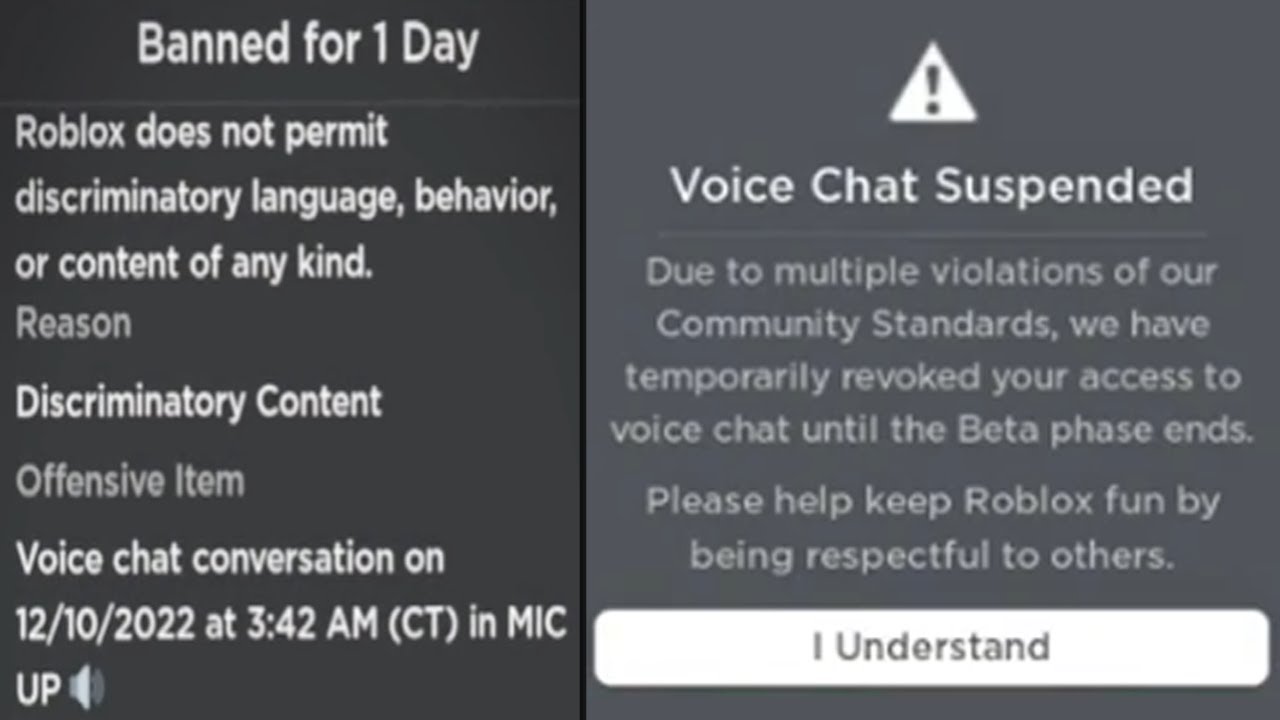
My Roblox Account Is Banned: What Can I Do?
While not a technical issue preventing Roblox from working, an account ban will certainly prevent you from playing. Roblox has strict community guidelines, and breaches can lead to temporary or permanent bans.
If you believe your ban was a mistake or you wish to appeal, you must contact Roblox Support directly. They have an appeals process in place. Be prepared to provide details and explain your situation politely. Understanding the rules is vital for ongoing social play.
When Should You Contact Roblox Support for Persistent Problems?
If you've tried all the troubleshooting steps above and Roblox still won't work, it's time to reach out to the experts. Roblox Support can investigate account-specific issues or more complex technical problems.
When contacting them, be prepared with specific details: what device you're using, your operating system version, what steps you've already tried, and any error messages you've received. Providing thorough information helps them assist you more efficiently, saving you time and getting you back to gaming faster.
Conclusion
Dealing with a game that won't cooperate can be incredibly frustrating, especially when your gaming time is a cherished commodity. But as we've seen, most "why won't my Roblox work" dilemmas have practical, solvable answers. From simple restarts and internet checks to deeper dives into system settings and reinstallation, troubleshooting is a natural part of the modern gaming experience. By methodically working through these steps, you can often diagnose and fix issues yourself, empowering you to take control of your gaming destiny.
Remember, the goal is always to get back to the fun, the creativity, and the social connections that make Roblox so engaging. Don't let technical glitches steal your precious relaxation time. Stay curious, stay persistent, and get back to building your dreams (or just chilling with friends) in the metaverse!
What's your biggest Roblox troubleshooting challenge? Comment below and share your best tips!
FAQ Section
How do I fix Roblox not launching?
Ensure your internet is stable, restart your device and router, check Roblox server status, and clear your browser's cache before trying again. Reinstalling the client often resolves launch issues.
Why does Roblox keep crashing on my computer?
Crashes can stem from outdated graphics drivers, too many background applications, or corrupted game files. Try updating your drivers, closing unnecessary programs, and reinstalling Roblox for a fresh start.
Can my internet speed affect Roblox performance?
Absolutely. A slow or unstable internet connection can cause significant lag and connection errors in Roblox. Check your Wi-Fi signal, restart your router, or consider a wired connection for better stability.
Is it safe to disable my antivirus for Roblox?
While temporarily disabling your antivirus might help identify if it's blocking Roblox, it's generally not recommended for extended periods due to security risks. Instead, add Roblox to your antivirus's exceptions list.
How often should I update Roblox?
Roblox typically updates automatically. However, manually checking for updates through the Roblox Player or App store ensures you have the latest version, which can prevent compatibility issues and improve performance.
What if Roblox says it's undergoing maintenance?
If Roblox is under maintenance, it means the developers are working on the platform, and you'll need to wait until the maintenance is complete. Check official Roblox social media channels or status pages for updates.
Roblox not launching, game crashing, lag issues, server status checks, internet connectivity, device updates, corrupted files, firewall blocks, account bans, contacting support, mobile troubleshooting, performance optimization.
35


Why Is Roblox Not Working June 2026 24 Fixes That Actually Work Why Is Roblox Not Working 2025 24 Fixes That Actually Work . Why Won T My Roblox Voice Chat Work Simple Fixes . Is Roblox Down Right Now Issues Roblox Not. Why Won T My Roblox Voice Chat Work Simple Fixes . Why Is My Roblox Freezing Quick Fixes Explained 2026 How To Fix Roblox Client Is Not Responding Tutorial




Why Won T My Roblox Voice Chat Work Simple Fixes 2 1035x582 . Why Is Microsoft Roblox Not Working Solutions For 2026 Roblox . Why Won T My Roblox Voice Chat Work Simple Fixes . Studio Won T Open At All With Fix Studio Bugs Developer Forum . Why Wont Roblox Work


Why Is Microsoft Roblox Not Working Solutions For 2026 Roblox Mic Not Working . Roblox Wont Start Heres What To Do Why Roblox Wont Open . Why Won T My Roblox Voice Chat Work Simple Fixes Roblox Voice Chat Not Working . How To Use Vc In Roblox Platform Usage Support Developer Forum Roblox . Why Is My Outerwear Not Working In Roblox Causes And Fixes Why Is My Outerwear Not Working In Roblox 1


Why Cant Roblox Let Me Join A Game Today . Why Won T My Roblox Voice Chat Work Simple Fixes . Why Wont My Roblox Gift Card Redeem Roblox Currency Mismatch Error 750x370 . Why Wont My Roblox Gift Card Redeem Why Is My Roblox Gift Card Not Working . How To Message On Roblox 2026 A Quick Guide SL1500




Why Won T My Roblox Work YouTube Oar2 . Why Won T My Roblox Voice Chat Work Simple Fixes PC Mobile How To Get Voice Chat On Roblox . Why Won T My Roblox Voice Chat Work Simple Fixes . Why Won T My Roblox Voice Chat Work Simple Fixes . Why Won T My Roblox Gift Card Work Guide U7BUY Blog The 8 Most Popular Roblox Games In 2025




Why Won T My Roblox Voice Chat Work Simple Fixes . Roblox In 2026 Play On Roblox NoFilter. Why Won T My Roblox Voice Chat Work Simple Fixes . Why Doesnt My Keyboard Work In Roblox . Why Won T My Roblox Voice Chat Work Simple Fixes


Why Is Roblox Not Connecting To The Internet Dibujos Cute Para Imprimir . SOLVED How To Fix EA App Not Working In 2025 SOLVED Why Isnt Roblox Working . Is Roblox Down Right Now Issues Why Is Roblox Not Working . How Do I Fix This R RobloxHelp Yo Wtf Roblox V0 . Why Won T My Roblox Voice Chat Work Simple Fixes