When your Roblox gift card isn't working, it can be incredibly frustrating especially after a long day. Many US gamers, juggling jobs and family, look forward to unwinding with some Roblox fun or gifting Robux to friends. This guide cuts through the confusion, offering clear, actionable steps to troubleshoot common issues when your Roblox card not working. We address everything from incorrect PIN entry to regional restrictions and Roblox system glitches. Learn how to verify your card, contact support, and avoid common pitfalls so you can get back to building, playing, and socializing in your favorite virtual worlds. This informational resource is tailored for the adult gamer who values quick, effective solutions to maximize their limited gaming time and ensure their in-game purchases go smoothly. Discover why your Roblox gift card might not be working and how to resolve it efficiently. Stay updated with the latest tips for redeeming Robux cards securely and effectively.
What do I do if my Roblox card says invalid PIN
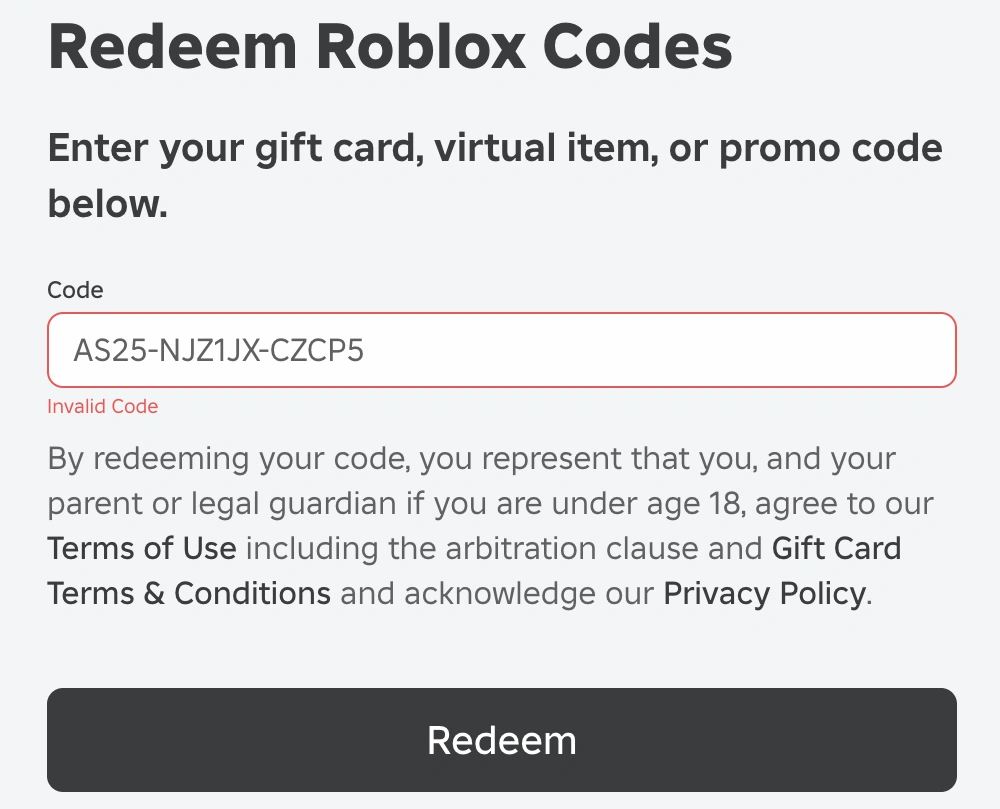
An invalid PIN error for your Roblox card often means a typo, the card isn't activated, or it's a fraudulent card. First, double-check the 12-digit PIN carefully. If it's still failing, verify the card was properly activated at the point of purchase. Sometimes, retailers need a few hours for the activation to register. If both check out, contact Roblox Support with your card details and proof of purchase.
Why is my Roblox gift card not working after scratching
If your Roblox gift card isn't working after scratching, the most common reasons are an incorrect PIN entry, the card not being activated at the store, or regional restrictions. Ensure you're entering the PIN accurately, exactly as shown. If bought recently, allow a few hours for activation. Also, confirm the card's region matches your account's region. If issues persist, gather your receipt and reach out to Roblox customer service for assistance.
How to fix a Roblox gift card that won't redeem online
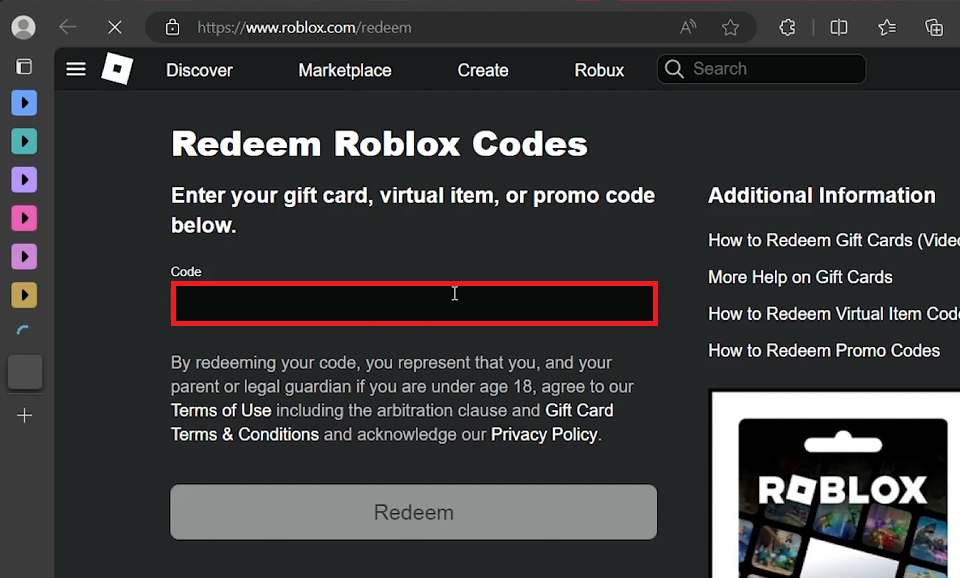
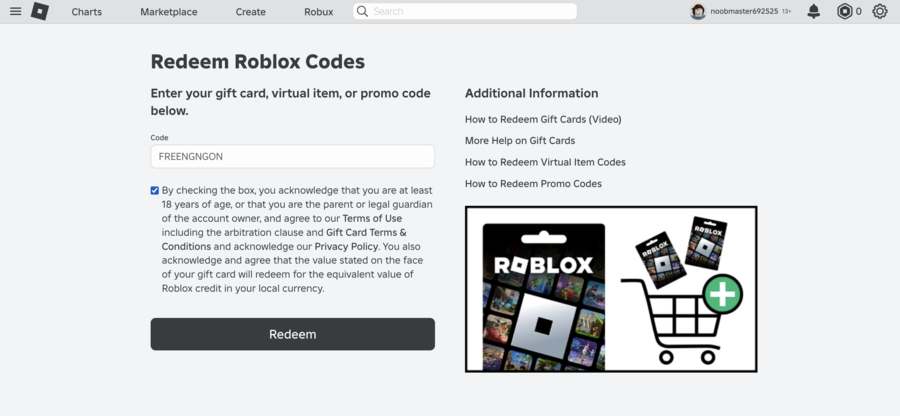
To fix a Roblox gift card that won't redeem online, start by clearing your browser's cache and cookies or try a different browser/device. Ensure your internet connection is stable. Verify you're on the official Roblox redemption page and not a phishing site. Double-check the 12-digit PIN for any typos. If all else fails, the card might not have been activated correctly by the retailer, or there could be a temporary Roblox system issue. Contact Roblox Support with your card and purchase details.
Is there a region lock on Roblox gift cards
Yes, Roblox gift cards can have regional restrictions. A card purchased in one country might only be redeemable in that country or specific regions. For example, a card bought in the US might not work on an account registered in the UK without some workarounds or direct support intervention. Always check the fine print on the card or packaging, especially if buying internationally or receiving a card from a friend abroad. This is a common reason for a "Roblox card not working" message.
What should I do if my Roblox card is already redeemed
If your Roblox card says it's already redeemed, but you haven't used it, this is a serious concern. Immediately check your Roblox account's Robux balance and transaction history for any recent redemptions. If you find one you don't recognize, or if the Robux aren't there, contact Roblox Support without delay. Provide them with the card's PIN, serial number, and proof of purchase. It could indicate a security breach, a pre-used card, or a system error. Act quickly to protect your purchase.
Can an expired Roblox gift card still be redeemed
Generally, Roblox gift cards do not expire. Unlike some promotional codes or credit card offers, the Robux balance on a legitimate Roblox gift card usually remains valid indefinitely until redeemed. If you're encountering an 'expired' message when your Roblox card is not working, it's more likely an activation issue, a regional conflict, or a typo in the PIN. Double-check the card details and consult Roblox's official support page for clarity. Keep your purchase receipt handy as proof of purchase.
How long does it take for a Roblox card to activate after purchase
Typically, Roblox gift cards are activated almost instantly at the point of sale. However, sometimes there can be a delay. It's generally recommended to wait at least 24 hours after purchase before attempting to redeem a card if you're experiencing issues, especially if bought from a major retailer during peak times. If your Roblox card not working persists after this waiting period, the problem likely stems from an incorrect PIN, regional lock, or an unactivated card. Contact the retailer first, then Roblox Support.
What are common error messages when a Roblox card is not working
When a Roblox card is not working, you might see several error messages. Common ones include "Invalid PIN," "The code you entered is invalid," "This gift card has already been redeemed," "The country your account is registered to does not match the country where the card was purchased," or a generic "An error occurred." Each message provides a clue. "Invalid PIN" often means a typo or activation issue, while "already redeemed" suggests someone else used it. Understanding these helps in troubleshooting your 'Roblox card not working' dilemma.
Can I redeem a physical Roblox card without an account
No, you need an active Roblox account to redeem a physical Roblox gift card. The Robux or Premium subscription linked to the card must be applied to a specific user's account. If you don't have an account, you'll need to create one first, which is a straightforward process. Once your account is set up, you can navigate to the gift card redemption page on the Roblox website and enter your 12-digit PIN to add the Robux or activate Premium onto your profile. This is standard procedure for a Roblox card not working before account creation.
What if my Roblox card PIN is scratched off or unreadable
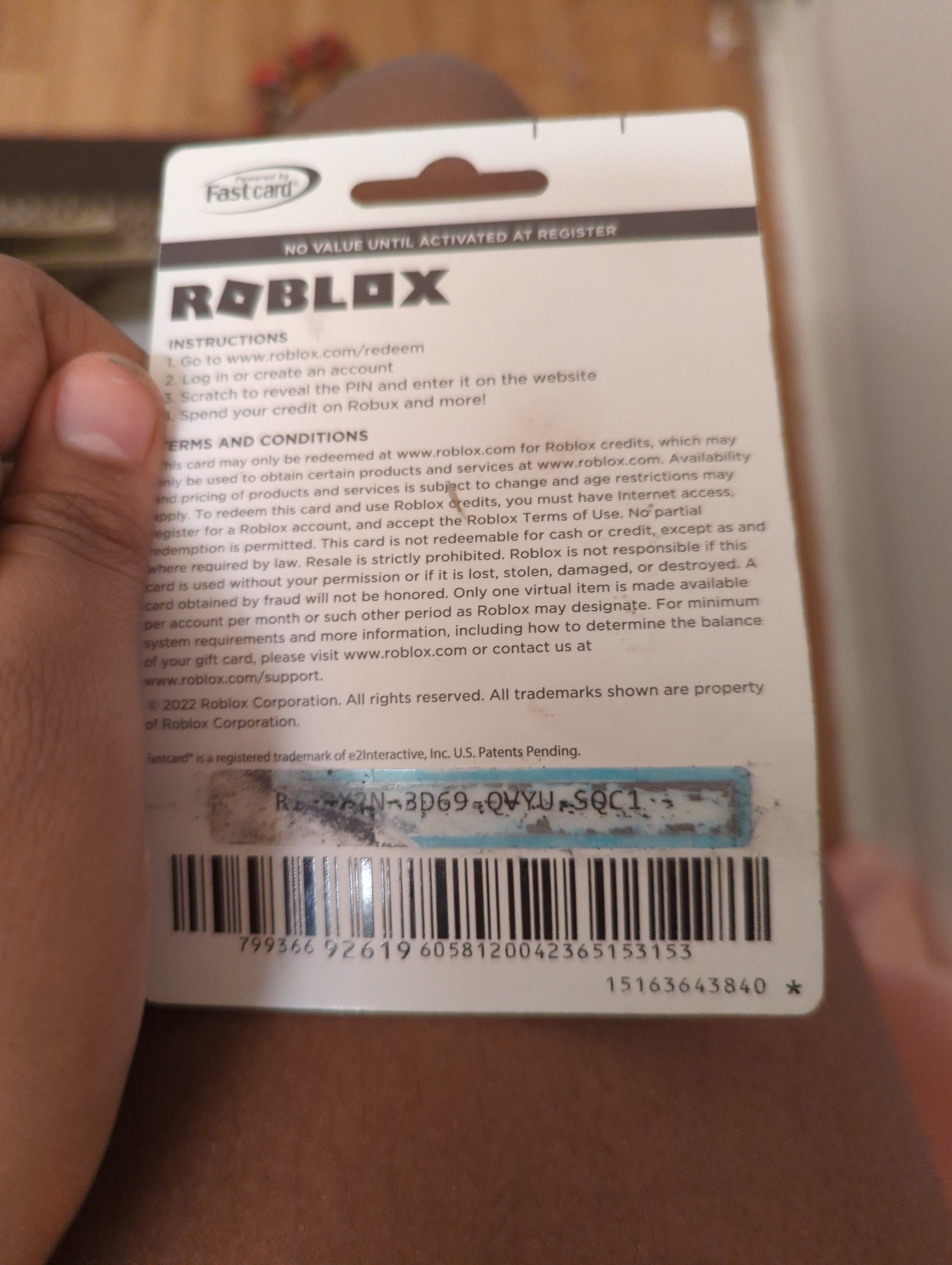
If your Roblox card PIN is scratched off or unreadable, immediately contact the retailer where you purchased it. Bring your original receipt and the damaged card. Many retailers have procedures for replacing or verifying the PIN for damaged cards, especially if you have proof of purchase showing the card's serial number. If the retailer can't help, reach out to Roblox Support, providing them with as much detail as possible, including photos of the card and your receipt. This is a common headache when a Roblox card not working is due to physical damage.
Are there any known issues with Roblox gift card redemption currently
While Roblox generally maintains a stable platform, occasional system outages or temporary issues can affect gift card redemption. Before contacting support, check Roblox's official status page or social media channels for any widespread reports of service interruptions. Community forums or Reddit threads for Roblox can also provide real-time information on whether others are experiencing a 'Roblox card not working' problem. If it's a known issue, waiting a few hours might resolve it automatically.
How do I verify the balance on my Roblox gift card
Unlike some retail gift cards, Roblox gift cards typically don't have an online balance checker before redemption. Once redeemed, the Robux balance is added directly to your Roblox account and can be seen on your account's Robux page. If you haven't redeemed it and are concerned about its value, the amount is usually printed on the card or indicated at the time of purchase. If your Roblox card is not working and you suspect its value is wrong, your best bet is to contact Roblox Support with proof of purchase.
Hey fellow gamers! Ever had that frustrating moment when you finally snag a Roblox gift card, ready to dive into new experiences, grab that cool avatar item, or gift Robux to a friend, only to be met with the dreaded “Roblox card not working” error message? You're not alone. For many of us, gaming is a vital way to unwind after a demanding day of work, family commitments, and adulting. According to recent US gaming stats, an impressive 87% of adult gamers play regularly, often dedicating 10+ hours a week to their favorite titles, balancing this passion with life's responsibilities. When a simple transaction like redeeming a gift card goes sideways, it can quickly turn relaxation into a headache. We value our limited gaming time, and dealing with technical glitches is the last thing we want.
Roblox, with its incredible array of user-generated content and social possibilities, is a go-to for many, offering everything from competitive challenges to cozy role-playing. It’s no wonder in-game purchases and Robux top-ups are so popular, especially with mobile gaming continuing its dominance and social gaming trends showing no signs of slowing down this month. But what happens when that key to unlocking more fun, your Roblox card, just isn't cooperating? Instead of letting that "Roblox card not working" message ruin your evening, this comprehensive guide is here to empower you with practical, actionable solutions. We'll walk you through common issues, from simple typos to complex activation problems, helping you troubleshoot like a pro and get back to enjoying the vast Roblox universe. Let's fix this together!
Why Is My Roblox Card Not Working When I Try to Redeem It
There are several common reasons why your Roblox card might not be working. Often, it's something surprisingly simple that's easily overlooked, especially after a long day. The primary culprits usually involve incorrect PIN entry, the card not being activated properly at the retailer, regional restrictions, or even temporary Roblox system glitches. For busy gamers balancing work and life, a quick fix is key. Understanding these common pitfalls will help you pinpoint the issue faster and get your Robux.
Before you panic, take a deep breath and systematically check these potential problems. Many adult gamers, like us, prefer efficient solutions that respect our time. This article aims to provide just that, allowing you to quickly diagnose and resolve your "Roblox card not working" problem without unnecessary stress. Remember, even experienced gamers encounter these hiccups from time to time.
How Do I Verify My Roblox Card PIN Is Correct and Not Scratched Off
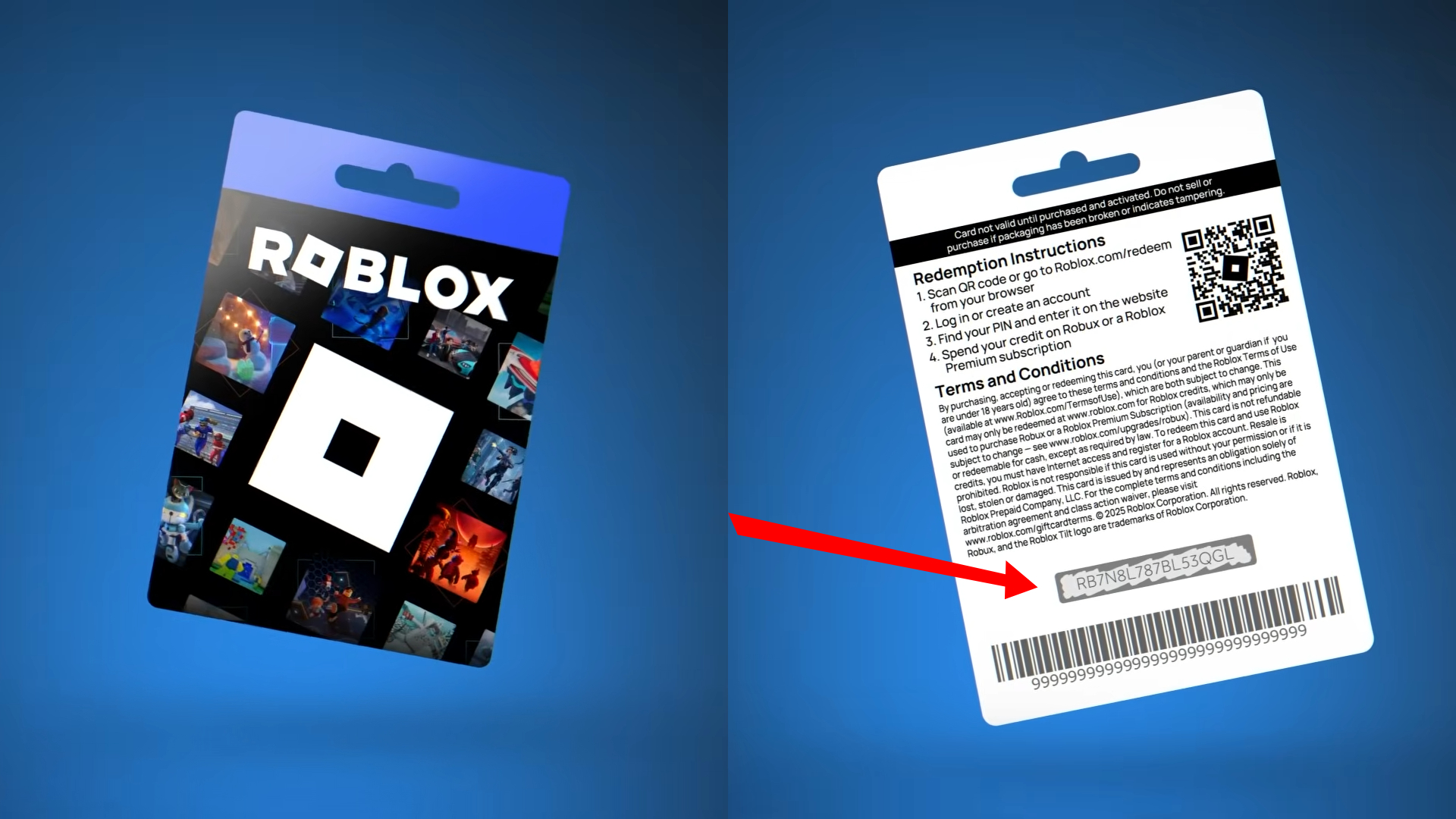
The 12-digit PIN is the key to unlocking your Robux. A common reason for a "Roblox card not working" error is simply a typo. It's easy to mix up similar-looking characters like "1" and "I" or "0" and "O".
- Double-Check the PIN: Carefully re-enter the 12-digit PIN. If you're on a mobile device, try switching to a PC for easier typing or vice versa.
- Clear Scratch-Off Residue: Sometimes, lingering residue from the scratch-off panel can obscure a digit. Gently wipe the area with a dry cloth to ensure clarity.
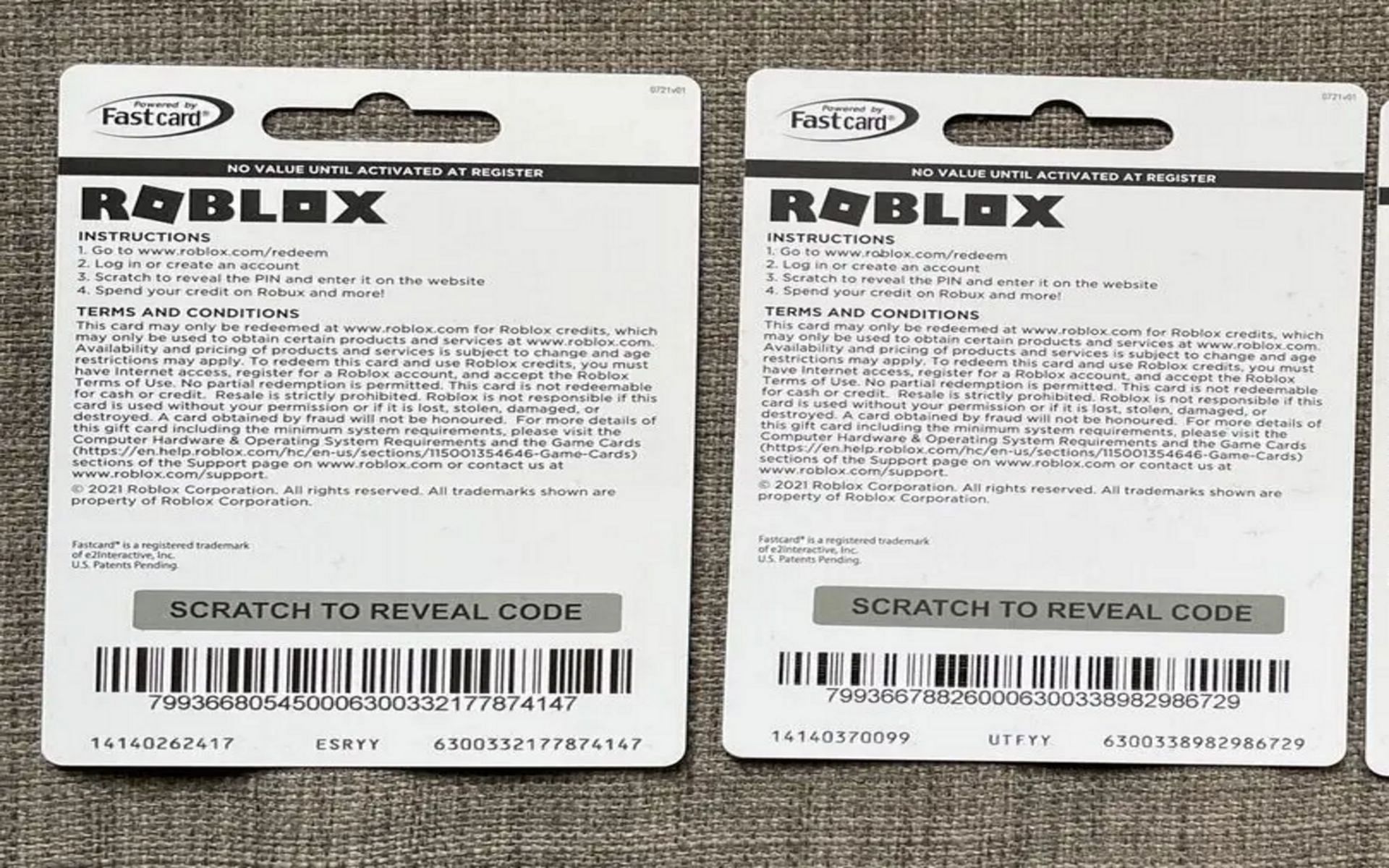
- Damaged Card: If the PIN is genuinely unreadable due to damage, don't despair. Keep your original purchase receipt and contact the retailer first. They might be able to look up the PIN using the card's serial number or offer a replacement. If the retailer can't help, reach out to Roblox Support with detailed photos of the damaged card and your receipt.
Taking a moment to verify the PIN meticulously can save you a lot of troubleshooting time. For many gamers, these small details are often the difference between a smooth transaction and a "Roblox card not working" headache.
What If My Roblox Gift Card Was Not Activated at the Store
This is a surprisingly frequent issue, especially with cards purchased from convenience stores or during busy periods. A Roblox card is essentially just a plastic or digital placeholder until it’s activated by the retailer’s system at the time of purchase. If the activation process didn't complete correctly, your "Roblox card not working" message will appear.
- Check Your Receipt: Look for any mention of activation or a serial number on your receipt. Some receipts explicitly state that the card has been activated.
- Wait a Few Hours: Sometimes, activation can take a little time to register in the system. If you bought the card very recently, try waiting up to 24 hours before attempting redemption again.
- Contact the Retailer: If the card still isn't working after waiting, your first stop should be the store where you bought it. Bring your card and original receipt. They can often check their system to see if the card was properly activated and, if not, can sometimes re-activate it or offer a replacement.
Retailer activation problems are a pain point for many and a common reason why a Roblox card might not be working. Don't throw away that receipt – it's your proof of purchase and essential for resolving activation issues.
Are Roblox Gift Cards Region Locked or Country-Specific
Yes, Roblox gift cards can definitely be region-locked. This is a crucial piece of information for US gamers, especially those who might receive cards from international friends or purchase them while traveling. A gift card bought in, say, Europe might not be redeemable on a Roblox account registered in the United States, and vice-versa. This can be a frustrating "Roblox card not working" scenario if you're unaware.
- Check the Card's Origin: Most physical cards will have fine print indicating the region or currency they are valid for.
- Account Region vs. Card Region: Ensure your Roblox account's registered country matches the region for which the gift card was intended.
- VPN Considerations: While some might try using a VPN, Roblox's systems are quite sophisticated at detecting and blocking these, potentially leading to account issues. It's generally not recommended for gift card redemption.
If you suspect a regional mismatch is causing your Roblox card not working, your best bet is to contact Roblox Support. They might be able to offer a solution or clarify the card's specific restrictions.
What Should I Do If My Roblox Card Says It's Already Redeemed
This error message, "This gift card has already been redeemed," can be alarming, especially if you haven't used the card yourself. This is a critical situation that requires immediate attention.
- Check Your Account History: Log into your Roblox account and check your Robux balance and transaction history. See if there's any recent credit you don't recognize. Sometimes, a family member might have redeemed it thinking they were helping.
- Secure Your Account: Change your Roblox password immediately if you suspect unauthorized access. Enable Two-Step Verification for added security.
- Contact Roblox Support: This is the most important step. Provide Roblox Support with the card's 12-digit PIN, the serial number (usually on the back, below the barcode), and a clear photo of the original purchase receipt. Explain that your Roblox card is not working because it appears to be already redeemed. They will investigate if the card was used and by whom.
- Return to Retailer (if applicable): If you bought the card from a physical store and it was clearly tampered with or pre-scratched, return to the retailer with your receipt.
Dealing with a pre-redeemed "Roblox card not working" issue can be stressful, but Roblox Support is usually equipped to handle these cases, especially with proper documentation.
Are There Any Roblox System Issues Affecting Gift Card Redemption Currently
Just like any large online service, Roblox can experience occasional technical hiccups or planned maintenance that might temporarily affect gift card redemption. While such events are usually brief, they can certainly lead to a "Roblox card not working" message.
- Check Roblox Status Page: The official Roblox Status Page (status.roblox.com) is your go-to for real-time information on system performance. Look for any reported issues with purchases or account services.
- Monitor Social Media: Check Roblox's official Twitter or community forums. If many users are reporting the same problem, it's likely a widespread issue.
- Wait and Try Again: If there's a confirmed system issue, the best course of action is often to wait a few hours and try redeeming the card again later. Roblox typically resolves these problems quickly.
It's always a good idea to rule out widespread outages before diving deep into personal troubleshooting for your Roblox card not working dilemma.
How Do I Contact Roblox Support for Help with a Non-Working Card
When you've exhausted basic troubleshooting and your Roblox card is still not working, contacting Roblox Support is the next crucial step. They have the tools and access to investigate specific card issues.
Steps to Contact Roblox Support:
- Gather Information: Before you reach out, have all relevant details ready:
- The full 12-digit PIN from the card.
- The card's serial number (usually a longer number below the barcode on the back).
- A clear photo or scan of the front and back of the gift card.
- A clear photo or scan of your original purchase receipt (showing date, time, store name, and card details).
- Your Roblox username.
- The exact error message you received (if any).
- Visit the Support Page: Go to the official Roblox Support page (roblox.com/support).
- Fill Out the Form: Select the appropriate issue category (e.g., "Gift Cards" or "Billing & Payments"). Fill out the form completely and accurately, providing all the gathered information. Be as detailed as possible in your explanation of the "Roblox card not working" problem.
- Be Patient: Support response times can vary, especially during peak periods. Once you've submitted your ticket, avoid submitting multiple tickets for the same issue, as this can delay resolution.
Providing comprehensive information upfront can significantly speed up the resolution process for your non-working Roblox card. They are there to help gamers like us enjoy our experience.
Can I Get a Refund or Replacement for a Faulty Roblox Card
Whether you can get a refund or replacement for a faulty "Roblox card not working" depends largely on the nature of the fault and where you purchased it.
- Retailer Policy: If the card was genuinely unactivated or damaged at the point of sale, your first recourse is usually the retailer. With your original receipt, many stores will offer a replacement or refund, especially within a short period after purchase.
- Roblox Support Investigation: If the issue is with Roblox's system, a pre-redeemed card, or a regional lock that wasn't clearly indicated, Roblox Support will investigate. Depending on their findings, they may issue a replacement code or Robux directly to your account.
- No Refunds for Used/Lost Cards: Generally, once a card is activated and leaves the store, or if it's lost or stolen, it becomes much harder to get a refund or replacement unless there's a verifiable system error from Roblox's side.
Always keep your receipts and the physical card until you've successfully redeemed the Robux. This documentation is your strongest ally when trying to resolve a "Roblox card not working" situation.
Are There Alternative Ways to Get Robux If My Card Fails
Absolutely! While frustrating when a Roblox card is not working, there are several reliable alternative ways to purchase Robux and continue your gaming fun. For adult gamers managing budgets, these options offer flexibility and convenience.
- Direct Purchase Online: The most straightforward method is to buy Robux directly from the official Roblox website or within the Roblox app using a credit/debit card, PayPal, or other digital payment methods.
- Premium Subscription: Consider a Roblox Premium subscription. It not only grants you a monthly Robux allowance at a better rate but also provides exclusive items, trading abilities, and other perks. For regular players, this can be excellent value for money.
- Mobile App Stores: If you're primarily a mobile gamer (and mobile gaming accounts for a huge chunk of US gamers this month), you can purchase Robux through the App Store (iOS) or Google Play Store (Android) using your linked payment methods.
- Third-Party Retailers: Some trusted online retailers like Amazon sell digital Roblox gift card codes that are immediately delivered to your email. These can be a good backup if physical cards are problematic.
Don't let a single "Roblox card not working" issue derail your Roblox experience. These alternatives are robust and secure, ensuring you can always get your Robux.
How Can I Prevent Roblox Card Redemption Issues in the Future
Preventing future "Roblox card not working" headaches is all about smart purchasing and careful redemption. For gamers who prioritize smooth experiences, these tips are invaluable.
- Buy from Trusted Retailers: Purchase Roblox gift cards only from official retailers or Roblox's website. Avoid third-party sites offering heavy discounts, as these are often scams.
- Inspect Card Before Purchase: If buying a physical card, check the scratch-off panel before purchase. Ensure it hasn't been tampered with or partially scratched.
- Keep Your Receipt: Always, always keep your purchase receipt until the Robux are safely in your account. It's your proof of purchase.
- Redeem Promptly: While Roblox cards don't expire, redeeming them soon after purchase reduces the chance of misplacing them or forgetting about potential activation delays.
- Double-Check PIN Entry: Take an extra second to verify the 12-digit PIN when entering it.
- Understand Region Locks: Be mindful of where the card was purchased if you're gifting or receiving cards internationally.
By following these simple steps, you can significantly reduce the chances of encountering a "Roblox card not working" problem again, ensuring a smooth path to your in-game fun.
***
FAQ Section: Quick Answers to Common Roblox Card Questions
Is it common for a Roblox card to not work?
While not an everyday occurrence, it's fairly common for gamers to encounter issues like "Roblox card not working" due to incorrect PIN entry, activation delays, or regional restrictions. These problems are usually resolvable with proper troubleshooting.
Can Roblox cards be used for Premium subscriptions?
Yes, Roblox gift cards can be used to purchase a Roblox Premium subscription or to add Robux to your account, which can then be used to buy Premium. The redemption process is similar for both options on the Roblox website.
Do Roblox gift cards ever expire?
No, generally Roblox gift cards do not expire. Once purchased and activated, the value on the card typically remains valid indefinitely until it is fully redeemed on a Roblox account.
What if my Roblox card was bought online as a digital code?
Digital Roblox codes function similarly to physical cards. Ensure the email containing the code wasn't sent to spam, double-check the code itself, and confirm the retailer is legitimate. The same troubleshooting steps for activation and region apply.
Can I combine multiple Roblox gift cards?
Yes, you can redeem multiple Roblox gift cards to the same account. Each card's value will be added to your existing Robux balance, allowing you to accumulate more Robux for larger purchases or Premium subscriptions.
What is the best way to get help quickly for a non-working Roblox card?
The best way to get quick help is to first re-check the PIN and card activation, then if issues persist, gather your card details and receipt and contact Roblox Support via their official website. Provide all information upfront for a faster resolution.
***
Phew! We've covered a lot of ground today, tackling the annoying problem of a "Roblox card not working" head-on. As busy adult gamers, our time is precious, and we want to spend it enjoying our favorite virtual worlds, not troubleshooting payment issues. By understanding the common causes – from mistyped PINs and activation glitches to regional locks and system outages – you're now equipped with the knowledge to diagnose and fix most problems yourself. Remember, always keep that receipt, double-check your inputs, and don't hesitate to reach out to Roblox Support with all your documentation if things get tricky. Getting back to the fun, connecting with friends, or simply unwinding with a great game is what it's all about.
What's your biggest gaming challenge this week? Share your thoughts and experiences in the comments below! Happy gaming!
Troubleshooting Roblox card not working issues, verifying PIN and region, contacting Roblox support, common error messages, preventing future redemption problems, understanding activation status, checking account balances, gift card security best practices.
35


Roblox Gift Card Not Working Giftcards Co Uk Roblox Gift Card Is Not Working . Why Is My Visa Gift Card Not Working On Roblox Infoupdate Org Roblox Currency Mismatch Error . Roblox 10000 Robux . How To FIX Roblox Gift Card Not Working 2024 QUICK FIX YouTube . Complete Guide Robux And Roblox Cards How To Buy And Redeem 2894496d Be8b 4a9e 848b


Why Isn T My Roblox Gift Card Code Working Infoupdate Org Thread 183509207 . Free Roblox Gift Cards How To Get And Step By Step Process Deltia S Physical Cards Have The Code At The Back Image Via Roblox Corporation . Roblox Archives Izoate How To Fix Roblox Gift Card Not Working Unexpected Error. I Was Getting My Roblox Gift Card Done When I Noticed Part Of The Code . Roblox Failed To Connect To The Game Fix Tech How How To Fix Unexpected Error Or Invalid Code When Redeeming Roblox Gift Card


Is A 15 Roblox Gift Card A Smart Buy In 2026 . Why Wont My Roblox Gift Card Redeem 1 Redeem Codes Page. 3 Ways To Fix Roblox Gift Card Not Working Guiding Tech Contact Roblox Support For Gift Card Issue 1024x627 . Roblox Card Roblox Wikia Fandom Latest. Redeeming Roblox Gift Cards A 2026 Easy Guide How To Redeem A Roblox Gift



Roblox Card YouTube . Unused FREE Roblox Gift Card Codes March 9 2026 Featured Image BL . Roblox Redeem Codes Not Used How To Redeem Roblox Gift Card Codes Hq720 . How Can You Redeem Roblox Codes Easily In 2026 Redeem Roblox Codes 1 . What If My Roblox Gift Card Doesn T Work Infoupdate Org Aid13048073 V4 1200px Use A Roblox Gift Card On IPhone Step 10


How Can You Redeem Roblox Codes Easily In 2026 752c4 1920 . Roblox Gift Card . What Roblox Gift Card Are Available . What If Your Roblox Gift Card Does Not Work Infoupdate Org . Are Apt Roblox Codes Real And How Do You Find Them


Why Is Roblox Not Working June 2026 24 Fixes That Actually Work Why Is Roblox Not Working 2025 24 Fixes That Actually Work . 100 Roblox Music Code ID S 2026 WORKING AFTER UPDATE . Roblox VC With An Expired Passport Platform Usage . 100 Unofficial Roblox Annual 2026 The Iconic Companion Jam Packed SL1500 . Roblox Not Working How To Fix It TechBriefly Roblox Not Working 03



Codes In Roblox 2025 . Roblox Gift Cards Removed From Microsoft Rewards 2026 Roblox Moderation System Changes Impact 2026 1024x572 . Roblox Gift Card Pin Number Missing From Account Infoupdate Org . How To FIX Roblox Gift Card Not Working 2024 YouTube . New Roblox Anime Card Collection Codes June 2026 Image